Relational Algebra
This is a procedural query language. We specify the mathematical operations to transform relations from the input relations into output relations. Each operation will result in a different relation than it started with.
Core Concepts
- Relation: A table with rows and columns.
- Tuple: A single row in a table.
- Attribute: A column header (property) in a table.
In Relational Algebra and ER Model, some terms used for entirely different meanings, if these were understood incorrectly, whole concepts can be misunderstood.
In Relational Algebra,
- Degree: No. of Table Columns
- Cardinality: No. of Rows in Table
In ER Modeling,
- Relationship: Connection of two or more entities. (term "relation" is not used in ER)
- Degree: No. of Entities participated in a relationship
- Cardinality: Ratio of a Relationship (, , )
Fundamental Operations
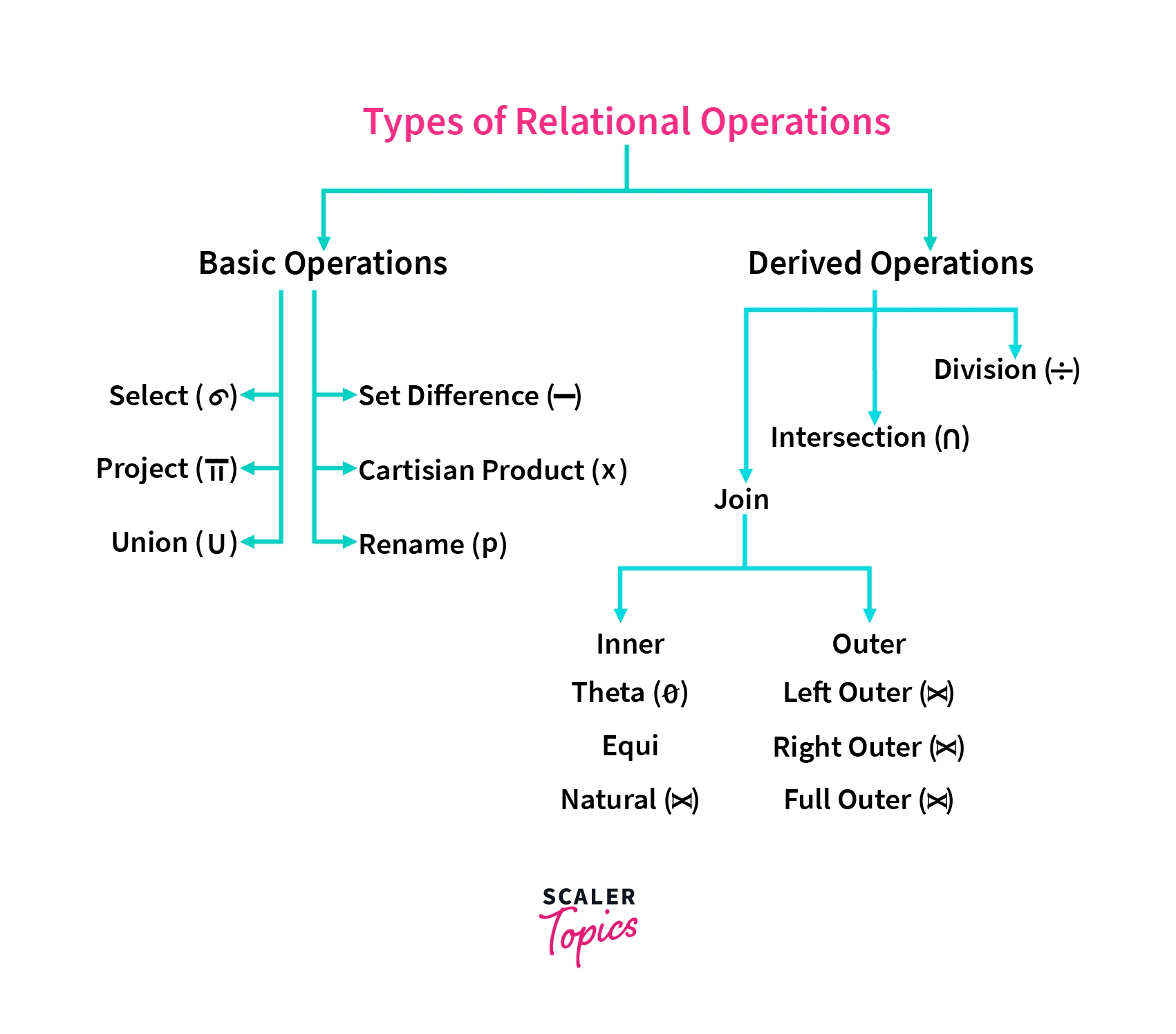
| Operator | Symbol | Purpose | SQL Equivalent | Example Expression |
|---|---|---|---|---|
| Select | (Sigma) | Filters rows matching a predicate condition. | WHERE | |
| Project | (Pi) | Extracts specific columns (eliminates duplicates). | SELECT col1, col2 | |
| Union | Combines rows from two union-compatible relations. | UNION | ||
| Set Difference | Finds rows in relation that are not in relation . | EXCEPT / MINUS | ||
| Cartesian Product | Cross-combines every row in with every row in . | CROSS JOIN | ||
| Rename | (Rho) | Renames a relation or its individual attributes. | AS |
In Relational Algebra (mathematical view),
-
Selection means getting a set of rows from a table. Which is getting a subset from the set.
-
Projection means getting fewer no. of columns out of table. In geometry, Projection means 3D object project to 2D plane, which is a loss of a dimension. Same concept in here, Projection loss dimensions (dimension=table column) But the term "dimension" is never used for referencing columns in relational algebra.
In other words, selection preserve the same set structure, projection loss dimensions of a set so it makes a new set.
Derived Operations
Any other operations such as Joins, Division can be derived using the fundamental operations.
Natural Join ()
Combines rows from two relations on matching column names and automatically removes duplicate join columns. Definition:
Set Intersection ()
Finds rows present in both relations. Definition:
Division ()
Finds tuples in that pair with all tuples in (commonly used for "find users who bought all items"). Definition:
Keys
These are one or more attributes that are used to uniquely identify each tuple in a table. Also lossless normalization is possible because of these.
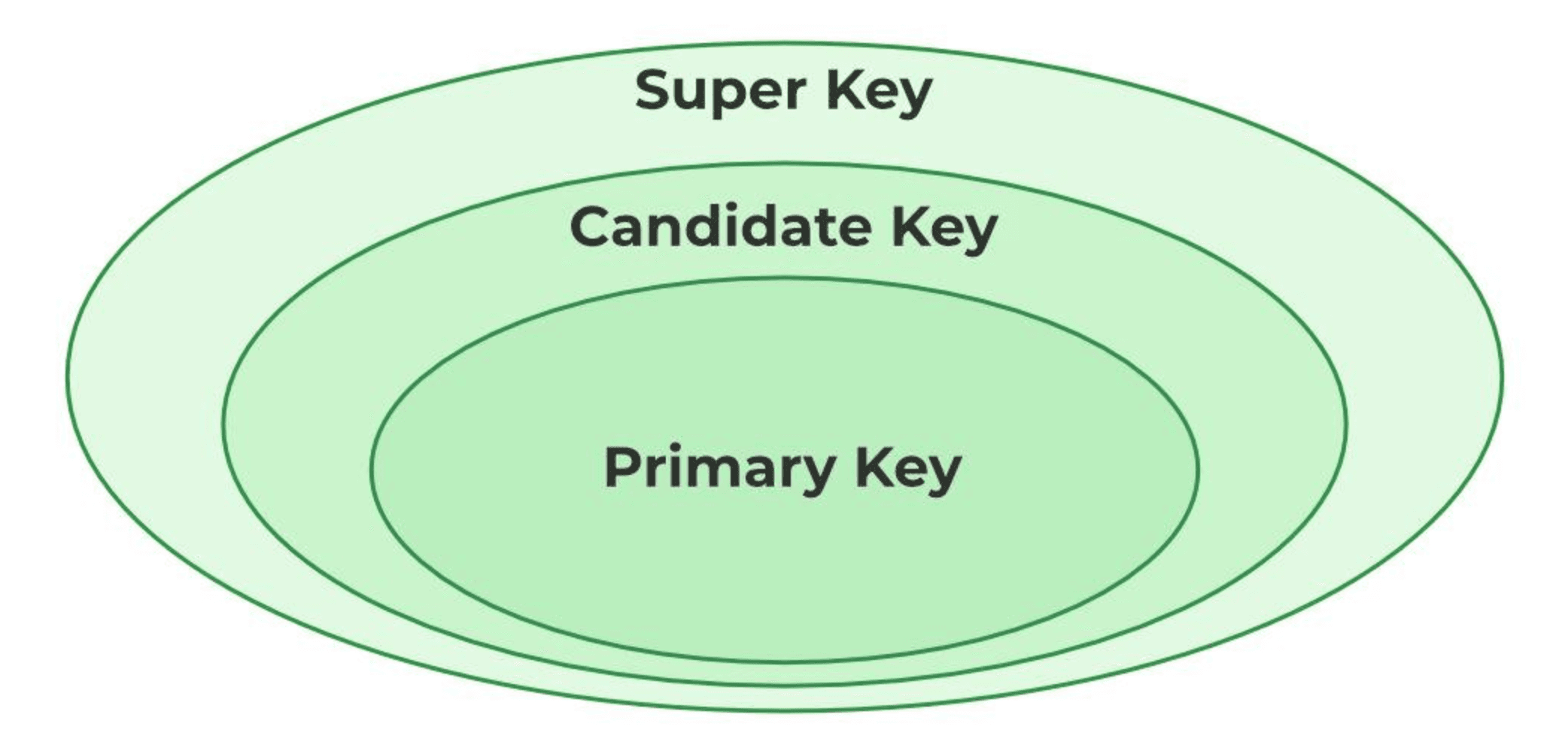
Super Key
These are any set of attributes in the relation such that there is no two distinct tuples that has same set of attributes.
Candidate Key
A minimal Super Key. a Super Key from which no proper subset can be removed without losing the uniqueness property.
Primary Key
The single Candidate Key explicitly chosen by the database designer to serve as the primary tuple identifier.
Foreign Key
An attribute (or set of attributes) in one relation that references the Primary Key of another relation.
Example:
Super Keys:
- (Redundant attribute:
name) - (Redundant attributes included)
**Candidate Keys:
- (All three are minimal; removing any attribute destroys uniqueness).
Primary Key Choice:
Alternate Keys:
Foreign Key:
(References of the Departments table).
Integrity Rules
These are a set of rules or policies defined at the Database Management System Level to avoid having invalid data records. The purpose of these to keep data consistent, accurate and not duplicates, orphaned records etc.
| Integrity Rule | Core Rule | Why It Matters | Real-World Failure Example |
|---|---|---|---|
| 1. Domain Integrity | Every attribute value must come from a defined, valid domain (data type, range, or set). | Prevents invalid data formats or impossible values from entering a column. | Entering "Twenty-Five" or -450 into an Age column defined as a positive integer. |
| 2. Entity Integrity | Every relation must have a Primary Key, and no Primary Key attribute can ever be NULL. | Guarantees that every tuple (row) in a table can be uniquely identified. | An employee record created without an Employee ID, making it impossible to uniquely select or update that person. |
| 3. Referential Integrity | A Foreign Key value in Table A must either match a valid Primary Key value in Table B or be NULL. | Prevents "orphaned records" when establishing relationships across tables. | Creating an order for Customer_ID = 9999 when no customer with ID 9999 exists in the Customers table. |
| 4. User-Defined / Business Integrity | Custom logical constraints defined by application business logic. | Enforces real-world business rules directly at the storage engine level. | Allowing an account balance to go below a negative credit threshold, or setting Ship_Date prior to Order_Date. |