Memory Hierarchy
Excellent Article series - https://en.algorithmica.org/hpc/external-memory/hierarchy/
This is all about optimizing the cost while getting the best performance of memory. Fast SRAMs are extremely expensive. DRAMs are relatively cheap but not as fast. So memory works in a hierarchical manner to get the best of both worlds.
When bottleneck happen?
CPUs are incredibly fast comparing to memory performance. i.e. CPU can read and write data into a RAM faster than it actually supports it.
- If the data is stored in the RAM, it will take around 100ns, or about 200 cycles, to fetch it, and then another 200 cycles to write it back.
- it could also be stored on some type of external memory such as a hard drive, and in this case, it will take around 5ms, or roughly 10 million () cycles to access it.
But if data can be retrieved instantly, cpu can do the instructions with throughput of 1 IPC!!
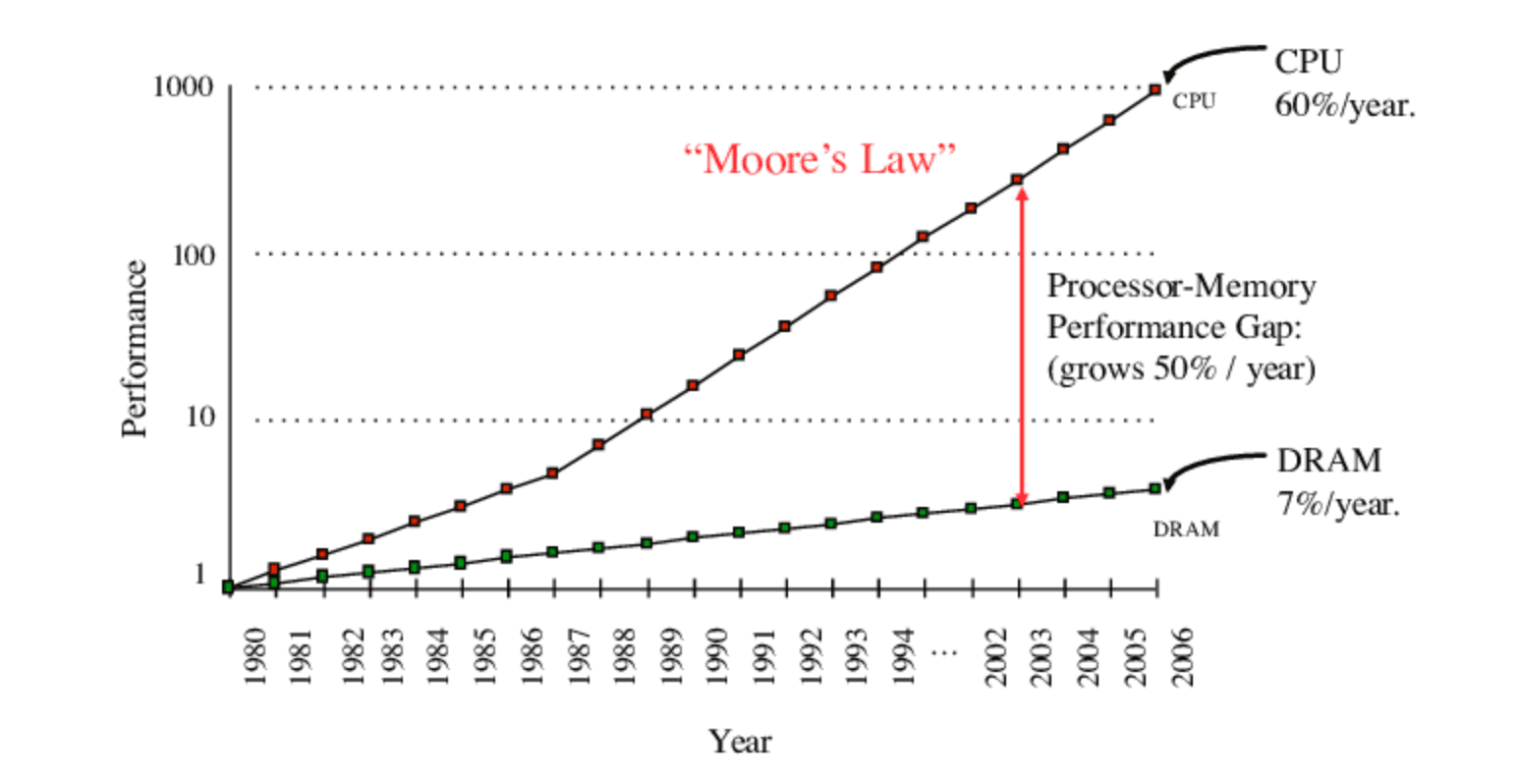
How Hierarchy helps
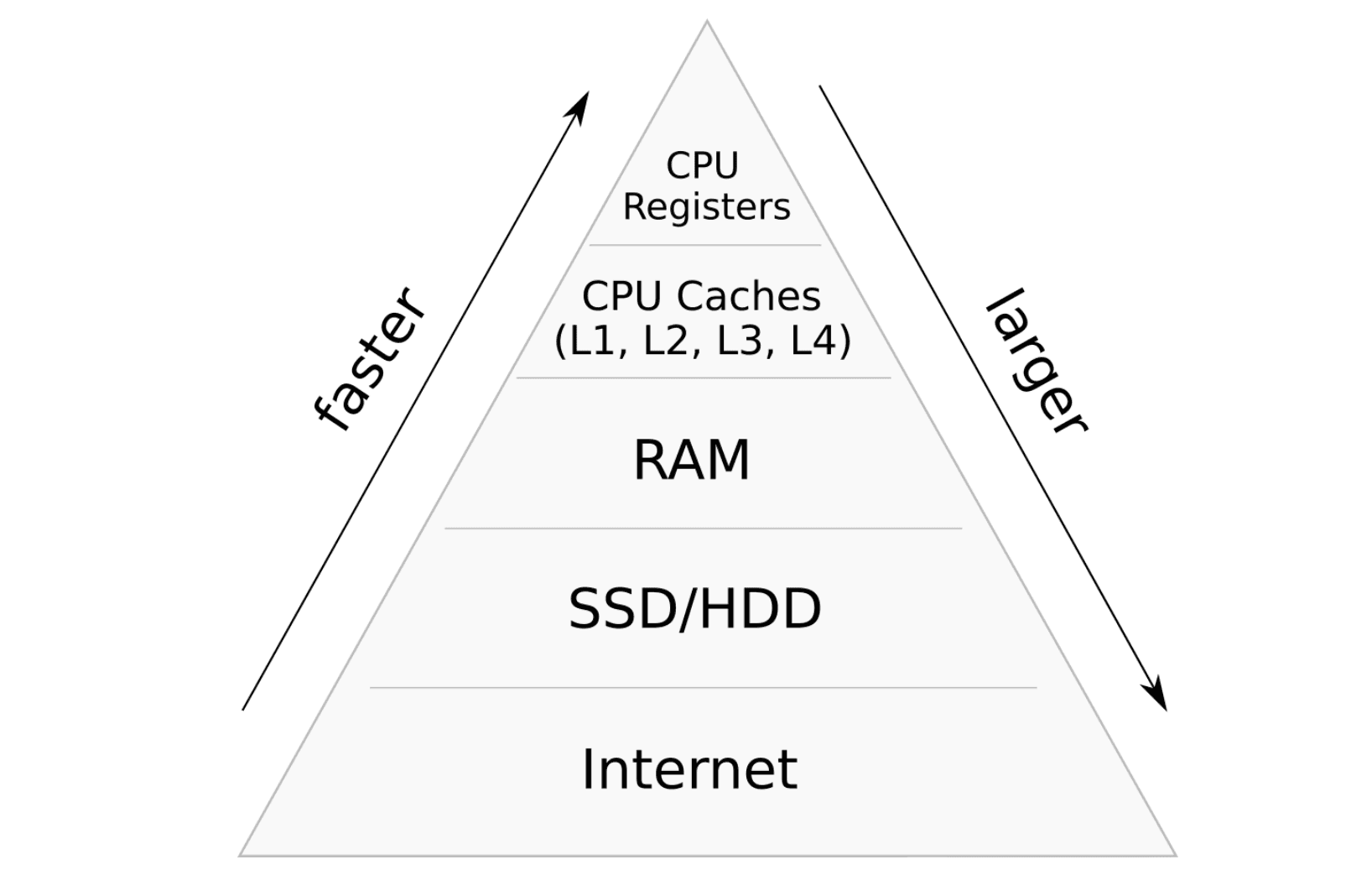
CPU wants data Fast, but not a huge amount at same time. It expect small fast words.
| Hierarchy Level | Access Latency (Transfer Speed) | Typical Capacity | **Storage Technology |
|---|---|---|---|
| CPU Registers | ~0.2 – 0.5 ns (< 1 cycle) | < 1 KB – few KB | Static flip-flops |
| L1 Cache | ~0.9 – 1.5 ns (4 – 5 cycles) | 32 KB – 128 KB per core | Fast SRAM |
| L2 Cache | ~3 – 7 ns (12 – 14 cycles) | 512 KB – 2 MB per core | SRAM |
| L3 Cache | ~10 – 20 ns (40 – 60 cycles) | 16 MB – 256 MB+ | SRAM |
| Main Memory (DRAM) | ~50 – 100 ns | 8 GB – 128 GB+ | DRAM |
Now lets say CPU does 1 GHz work. i.e. 1 instruction done each nano second. If the CPU has all data in the registers, it can do work each nano second, otherwise it have to wait till data comes. Lets say Registers Hold 1 KB data, if CPU word is 32 bit, CPU consume them all in 32 cycles (i.e. 32ns)
Now if we can replace those data within 32ns, CPU does not see the latency!
Same goes for the next level. If L1 cache has 32KB, CPU will consume them all in,
32 * 1KB, (32ns times 32 replaces = 1024ns)
Since we move data in chunks, CPU will always have the data at fast speed than we providing at lower levels.
What to put into the higher levels that CPU Expect?
We have to "ready" data for the CPU to do the work. This is a probability game, we cannot be 100% certain about what will CPU require.
Common way to solve this is using Locality principles.
Principle of Locality
Most Programs tend to reuse data & instructions that are close to each other or they have used recently. Based on that, 2 locality principals are defined.
- Temporal Locality (data or instructions that have been used recently)
- Spacial Locality (data/instruction that are close to each other in the flow of execution)
sum = 0;
for (i = 0; i < n; i++) {
	sum += a[i];
}
return sum;
Spatial locality
- Access array elements in succession
- Reference instructions in sequence
Temporal Locality
- Reference
sumeach iteration - Cycle through loop repeatedly