Semester 3Operating SystemsProcess Management
Introduction
Program - sits in hard-drive, does nothing, passive entity Process - sits in RAM, actively being loaded and executed
Program vs. Process
| Attribute | Program | Process |
|---|---|---|
| Nature | Passive entity (file stored on disk) | Active entity (running in memory) |
| Lifespan | Permanent until deleted | Temporary (created, executed, terminated) |
| Resource Needs | Only disk storage space | CPU time, RAM, I/O devices, registers |
| Multiplicity | One program file on disk | Can spawn multiple concurrent processes |
Memory Layout of a Process
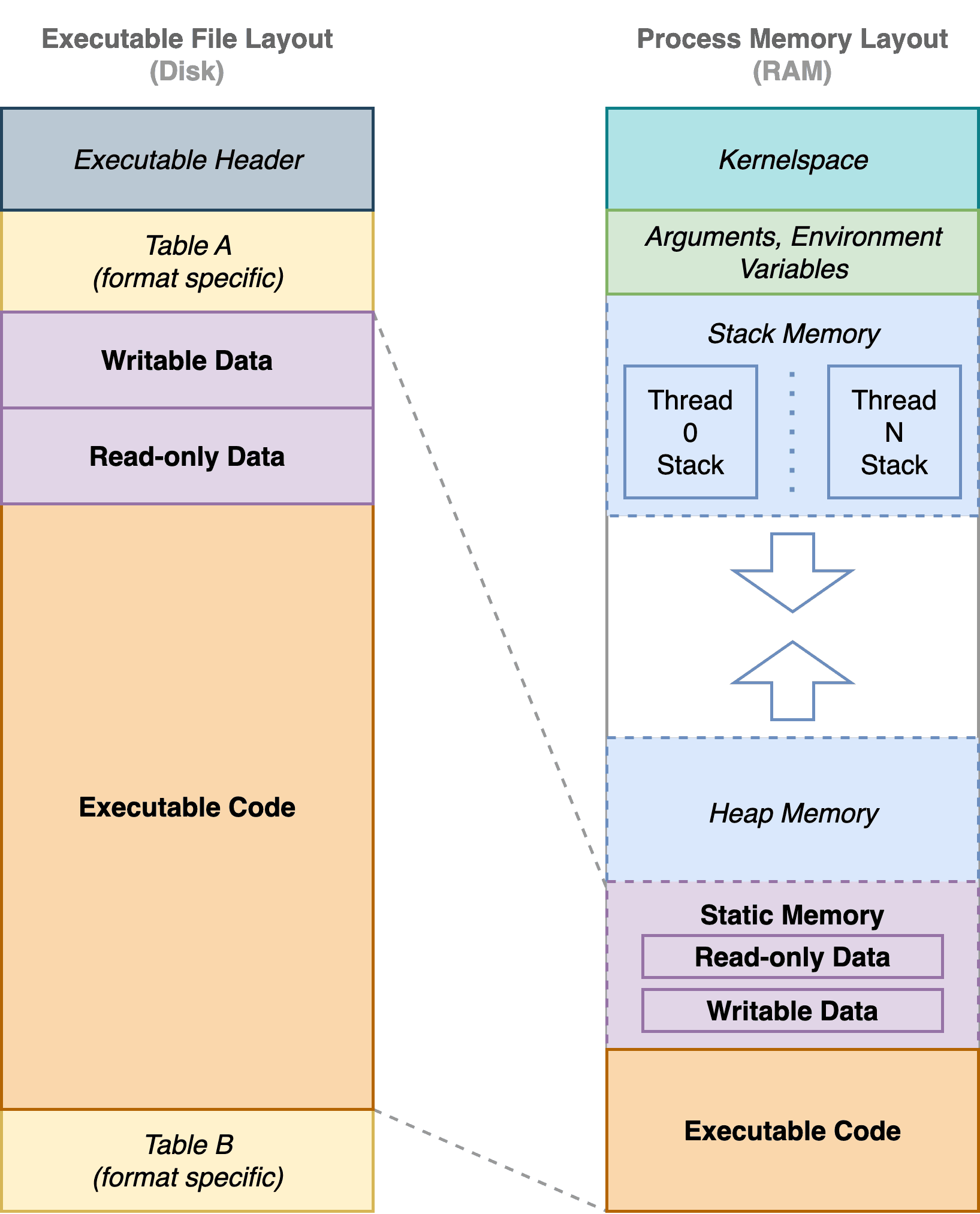
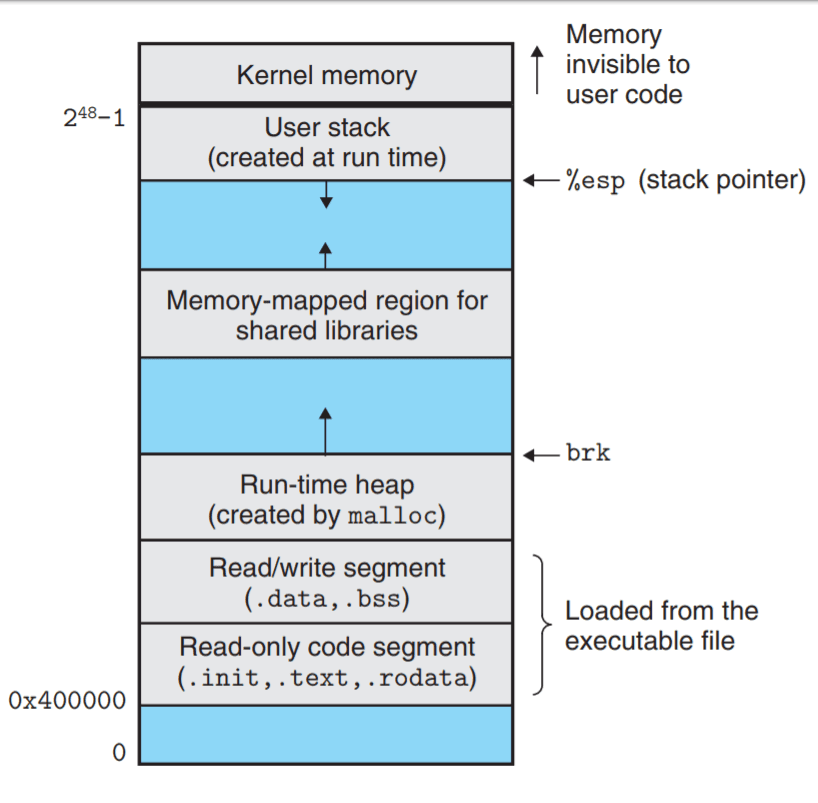
- Text Segment (Code): Contains the compiled machine code instructions executed by the CPU. This segment is typically read-only to prevent accidental modification.
- Data Segment: Holds global and static variables.
- Initialized Data: Variables explicitly initialized in code (e.g.,
int x = 10;). - Uninitialized Data (BSS): Global/static variables initialized to zero by default.
- Initialized Data: Variables explicitly initialized in code (e.g.,
- Heap: Dynamically allocated memory at runtime (e.g., using
malloc()in C ornewin C++/Java). The heap grows upward toward higher memory addresses. - Stack: Temporary storage for function calls, local variables, parameter passing, and return addresses. The stack grows downward toward lower memory addresses.
Process Control Block (PCB)
This contains all details about the process. This is like a blueprint.
- Process ID (PID): A unique identifier assigned to the process.
- Process State: Current state (e.g., Ready, Running, Waiting).
- Program Counter (PC): Points to the address of the next instruction to execute.
- CPU Registers: Saved register contents when the process is context-switched out.
- CPU Scheduling Info: Priority level, scheduling queue pointers, and accounting stats.
- Memory Management Info: Page tables or segment tables for mapping virtual to physical memory.
- I/O Status & Open Files: List of open file descriptors and allocated I/O devices.
Process States & Lifecycle
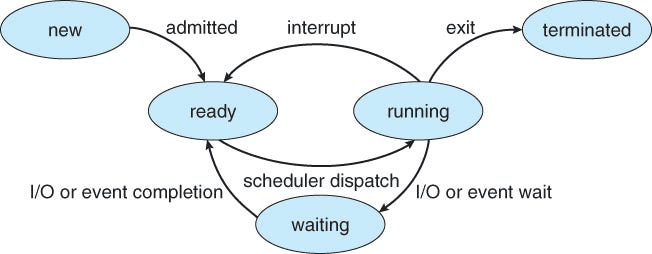
new,ready,running,terminatedare self explanatory.waitinghappens when the process request some user input, hard-disk read, or waiting for another process to complete (join concept at the end of main thread)